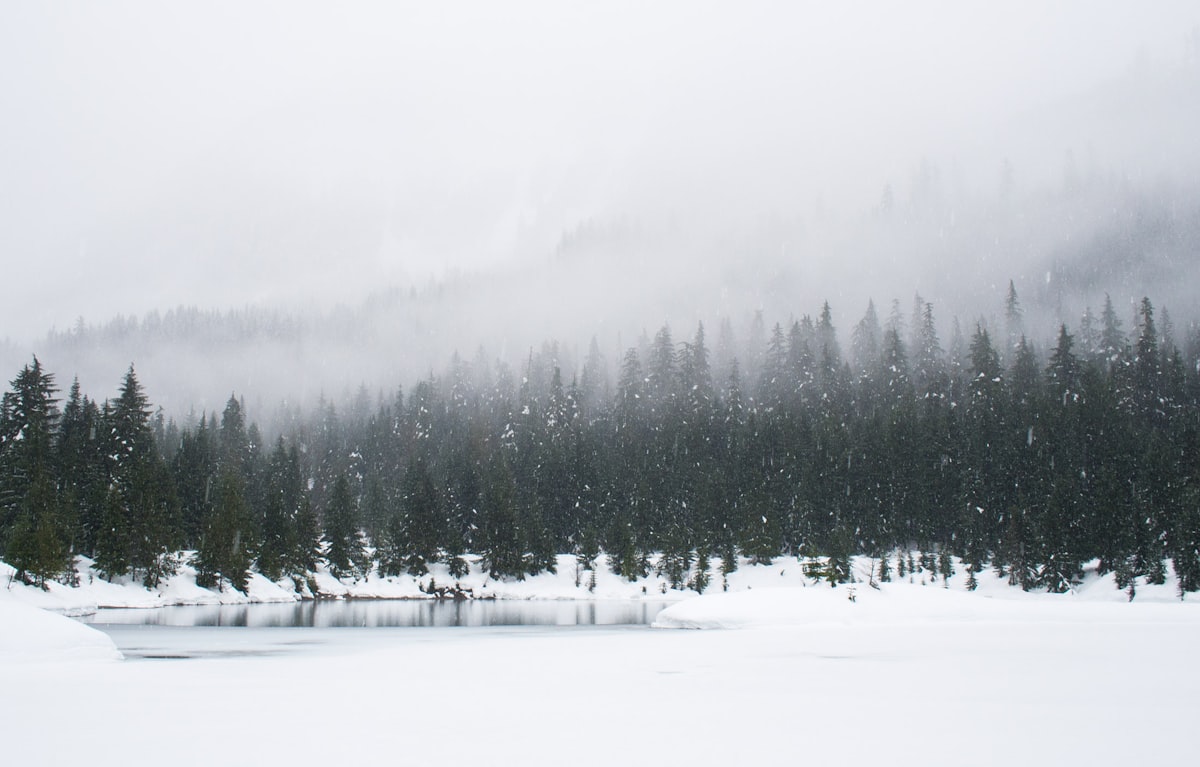
Snow confuses cameras. That clean white blanket that your eyes see as pure and bright shows up as dull, dingy gray in photographs. Every photographer encounters this, and many assume their camera isn’t performing well. The camera is working exactly as designed — the problem is that camera meters are designed around a specific assumption that snow violates.
Why Snow Turns Gray
Camera light meters assume that every scene averages to a medium tone — roughly 18% gray. This assumption works remarkably well for most scenes, because most scenes do average out to a medium brightness. Trees, grass, buildings, sky, shadows — mixed together, they average to something close to medium gray.
Snow breaks this assumption. A snow scene is predominantly white — much brighter than the meter’s expected average. The meter sees all that brightness and thinks the scene is overexposed, so it reduces the exposure to bring everything back to medium gray. The result: gray snow.
The Fix: Overexpose
The correction is simple: add positive exposure compensation. How much depends on the scene:
+1 stop for scenes with significant non-snow elements — trees, buildings, people against snow. The non-snow elements bring the average brightness down somewhat, so you need less compensation.
+1.5 stops for predominantly snow scenes — snow-covered fields, ski slopes, fresh snowfall on flat terrain. The frame is mostly white, so the meter underexposes more aggressively.
+2 stops for pure snow — close-ups of snow texture, snow-covered surfaces with no dark elements. This is rare but happens when you’re photographing the snow itself rather than a scene that includes snow.
Checking Exposure
The histogram is your reliable guide. Properly exposed snow should show data pushed well into the right side of the histogram — but not clipped (hitting the right wall). The histogram shape for a good snow image looks different from a typical landscape: the data should cluster in the right third.
Use your camera’s highlight warning (“blinkies”) to identify areas of pure white clipping. Some clipping on snow specular highlights (direct sun reflections) is acceptable and even desirable. Large areas of clipping mean you’ve overexposed too much.
White Balance and Color
Snow isn’t just white. Under different lighting conditions, it takes on distinct color casts:
Daylight snow appears warm white with subtle blue shadows. This warm/cool contrast is the hallmark of good snow photography.
Overcast snow appears blue-gray overall. The cool cast is subtle but persistent. Auto white balance often can’t fully correct it, leaving the scene looking cold and uninviting.
Golden hour snow turns warm gold on sun-facing surfaces while shadows go deep blue. This is the most photogenic snow condition — the warm/cool contrast is dramatic.
Shade snow goes strongly blue. Snow in shadow reflects blue sky, and without warm sunlight to balance it, the blue dominates.
For white balance, I recommend setting a custom white balance or shooting in RAW with Daylight preset. This preserves the natural warm/cool contrast that gives snow scenes their character. Auto white balance tries to neutralize this contrast, producing flat, colorless results.
Composition in Snow
Simplification
Snow’s greatest compositional gift is simplification. Complex, cluttered scenes become clean and minimal under snow cover. Use this to your advantage — snow reduces the landscape to its essential shapes and lines.
Contrast Elements
Against white snow, dark elements gain enormous visual weight. A dark tree, a red barn, a winding creek, animal tracks — these become powerful compositional anchors because the tonal contrast is so high.
Texture
Fresh snow has subtle texture — wind ripples, drift patterns, crystal sparkle. Raking light (low sun angle) reveals this texture dramatically. The same snow field that looks flat and featureless at noon shows beautiful wave patterns at sunrise.
Tracks and Trails
Animal tracks, ski tracks, footprints, snowmobile trails — these create leading lines in an otherwise featureless landscape. A single set of footprints crossing a pristine snow field tells a story that an untouched field cannot.
Cold Weather Gear Considerations
Batteries drain fast in cold. Lithium-ion batteries lose capacity rapidly below freezing. Carry spare batteries in an inside pocket close to your body. Swap batteries frequently rather than running one to depletion.
Condensation kills electronics. Moving a cold camera into a warm environment (your car, a lodge) causes immediate condensation on every surface, including the sensor. Before going indoors, seal the camera in a plastic bag with as little air as possible. Let it warm up in the bag — condensation forms on the bag exterior instead of the camera.
Touchscreens don’t work with gloves. Either use capacitive-compatible gloves or learn to operate your camera with buttons and dials by feel. Removing gloves in extreme cold risks frostbite and makes dexterity difficult.
Metal tripods conduct cold. Wrap the upper leg sections with foam pipe insulation or tape to prevent bare-skin contact with freezing metal.
Post-Processing Snow
Set the white point. In your RAW processor, use the whites slider or point curves to set bright snow to approximately 240-245 in an 8-bit scale. Pure 255 white loses all detail. Keeping snow just below maximum white preserves subtle texture.
Preserve shadow color. Snow shadows contain beautiful blue tones. Resist the temptation to warm them or lift them to neutral. The cool shadows against warm highlights are what make snow images special.
Slight clarity boost. A touch of clarity (10-20) brings out snow texture without looking overprocessed. Heavy clarity on snow creates an ugly, crunchy appearance — use restraint.